
Checklist: palm oil mill ERP go-live in one day
This checklist is the process design we use for Sawitara. One day is the target for go-live day, not a guarantee; how long preparation takes depends on the state of your data.
Two weeks before go-live
- Choose the modules. Independent mill, estate without a mill, or integrated group; note any additional modules.
- Map the unit structure. Holding, region, estate, division, mill, ramp. Every user will be locked to the unit they are assigned to.
- Decide the chart of accounts. Use the standard mill/plantation template or prepare the company’s chart of accounts for import; map the accounts for automatic journal entries (cash, inventory, payables, expenses).
- Set the cut-off date. General ledger and stock opening balances are taken as of this date.
- Prepare the server. Linux with Docker, HTTPS at the reverse proxy, the correct server clock, and a second backup destination outside the server.
One week before go-live
- Fill in the Excel templates in order: chart of accounts, organisation and units, estate blocks, employees, items, plasma smallholders, fleet, general ledger opening balances, stock opening balances. Columns marked * are mandatory.
- Test the import on a test installation. The preview shows errors per row and column without saving; fix them in Excel until clean.
- Make sure opening balances balance (debit = credit) per unit.
- Gather the key parameters: minimum wage, SPB (FFB dispatch note) shrinkage tolerance, VAT rate, head-office PO approval limit, grading weights per mill, BPJS rates.
- List users and roles: who are the weighbridge operators, graders, lab staff, foremen, clerks, estate administrator (KTU) and admins; who is allowed to approve.
- Train by role on the demo instance, using the user guide for each role.
Go-live day (target)
| Time | Activity | Done when |
|---|---|---|
| Morning | Installation, first admin account, standard or empty chart of accounts | The login page opens over HTTPS |
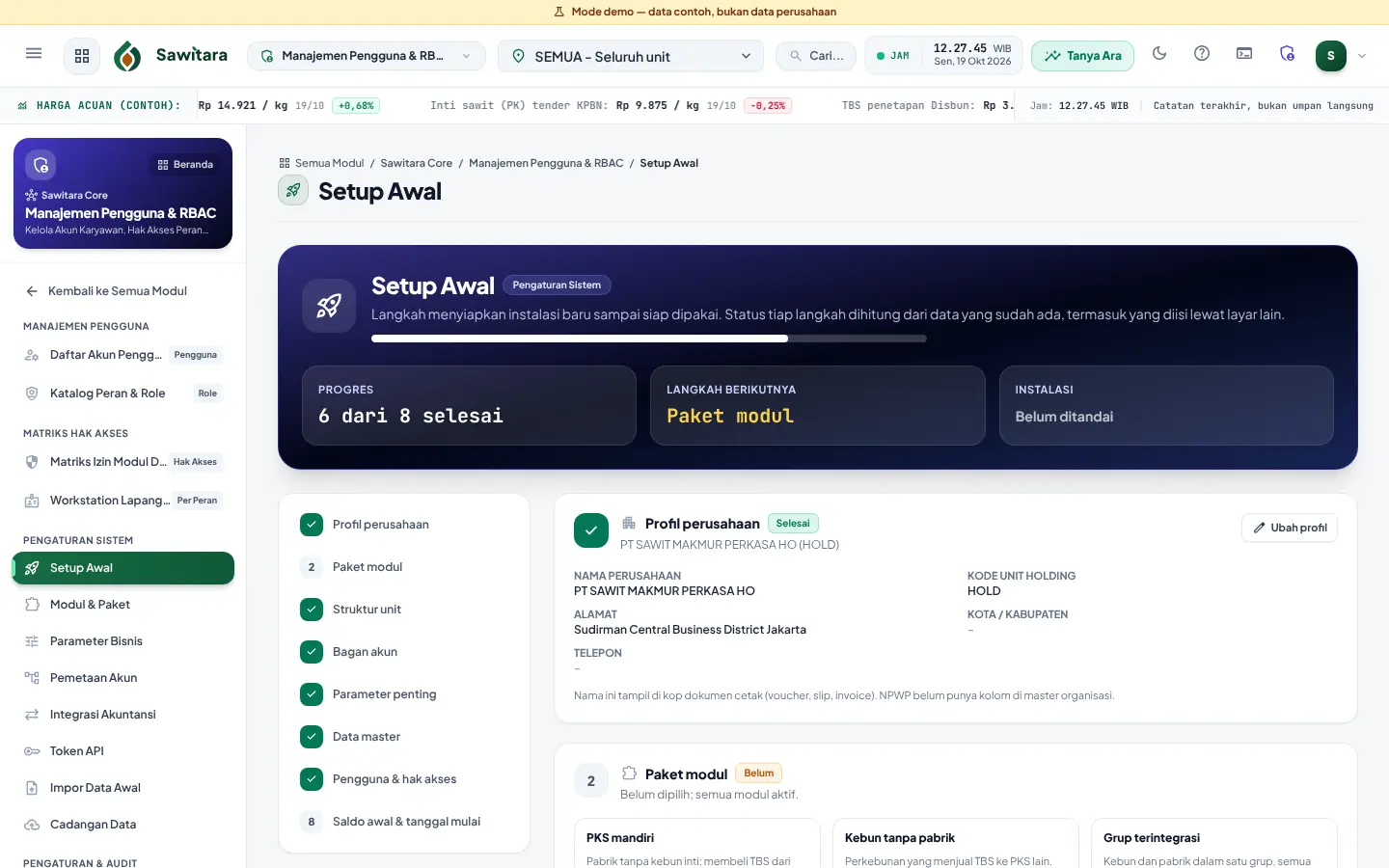
| Morning | Initial Setup: profile, module package, unit structure | Steps 1–3 show as complete |
| Midday | Manual backup, then import master data and opening balances | All imports saved without errors |
| Midday | Key parameters, account mapping, users and access rights | Initial Setup 8 of 8 complete |
| Afternoon | First transactions: weighbridge ticket, grading, BKM (foreman’s daily work record), cash voucher | Automatic journal entries appear in the general ledger |
| Afternoon | Second manual backup, download the archive | Archive stored on a second disk |
The first month after go-live
- Check the Data Backup page every morning; there must be no red warnings.
- Test restoring an archive to a temporary database at least once a month.
- Review the audit trail for ticket corrections and parameter changes.
- Close the first month’s books together with the accounting team; closed periods are locked.
What makes a go-live fail
- Opening balances that do not balance or fall in an already closed period (the import is rejected).
- One wrong row in a template: in Sawitara imports are deliberately all-or-nothing so data never goes in half-finished.
- Roles and access rights only decided on go-live day.
- No backup before the import.
See Sawitara with demo data
In 15 minutes we walk you from estate to general ledger, then discuss the products you need.